
Lumion Forms: mobile-first enrollment forms for career schools

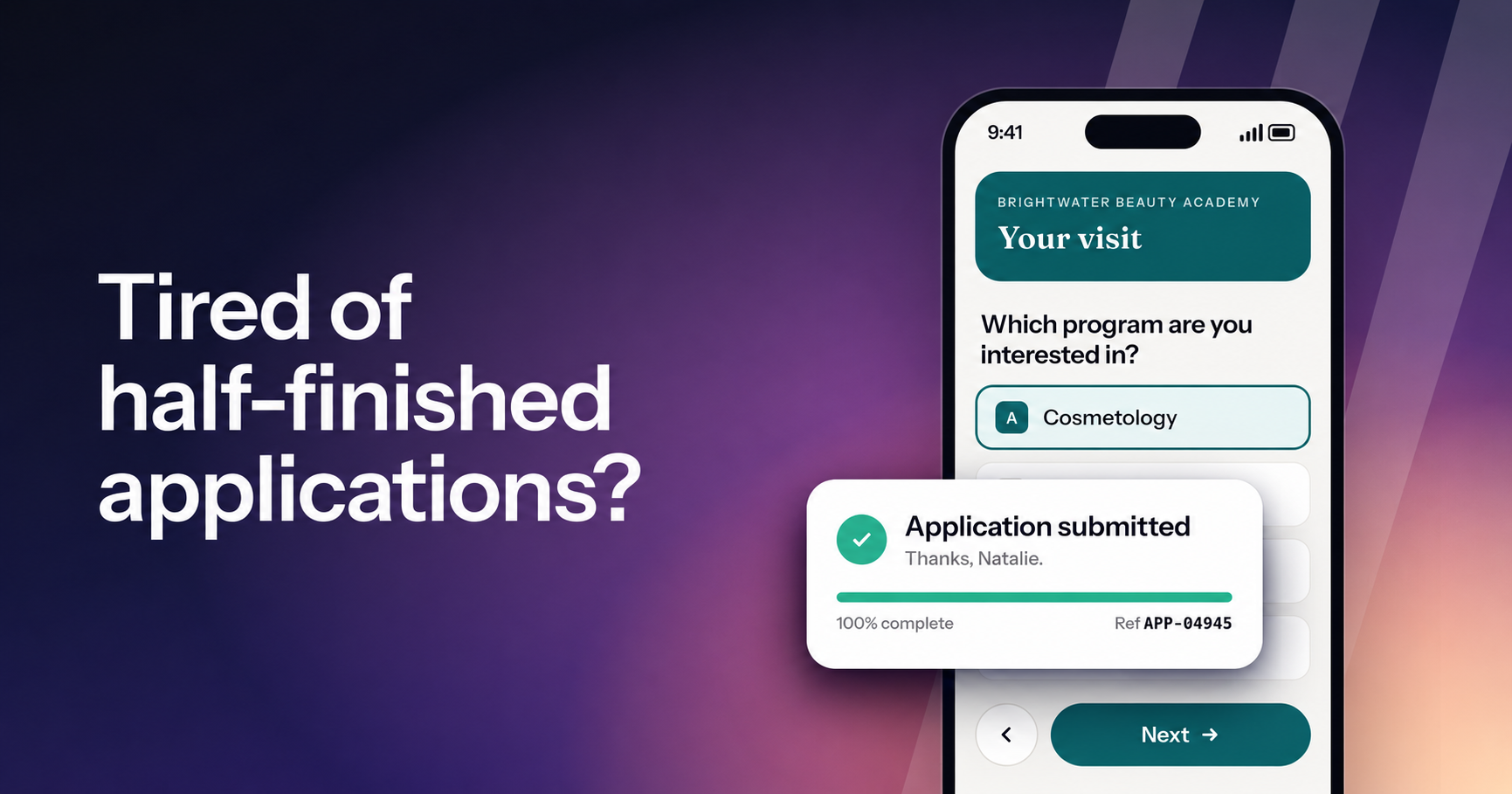
The step where interest goes cold
Most enrollment teams know the moment. A student texts back, asks good questions and sounds ready. Someone sends the application link.
Then nothing happens.
Sometimes the student opens the form on their phone between shifts. It looks like a tax document, and they stop at question nine. Sometimes they finish it, and the submission sits in a list nobody checked that afternoon.
Either way, the interest your team worked to create goes cold at the exact step where it should have become an application.
So we rebuilt both sides of the form: how your team builds, sends and reviews forms, and what applicants see when they fill one out. Forms is live now for every school on Lumion Engage.
What this means for your team
- Easier to finish. One question per screen, built for the phone, in your school's colors.
- Nothing left waiting. One Needs review count shows every submission waiting on your team.
- No sync required. Answers land on the student's record. Nothing to export or map.
- Live in minutes. Copy a form that already works, or upload a PDF.
- Follow-up keeps running. The automations you already run on form activity carry through.
Below, we follow one admissions lead and one student through it. Morgan runs admissions at Brightwater Beauty Academy, an example school. Natalie asked about the cosmetology program, and Morgan wants to invite her to a new evening campus tour.
Every form, every submission, one page
Open Forms and it's all there.
- On the left: every form, with how many people started it, how many finished and how many submissions are waiting on your team.
- On the right: every submission, newest first, with a status that says where it stands: Needs review, Incomplete, Needs finance or Approved.
- Also here: templates and signed agreements, so nobody hunts across separate lists to find out what came in.
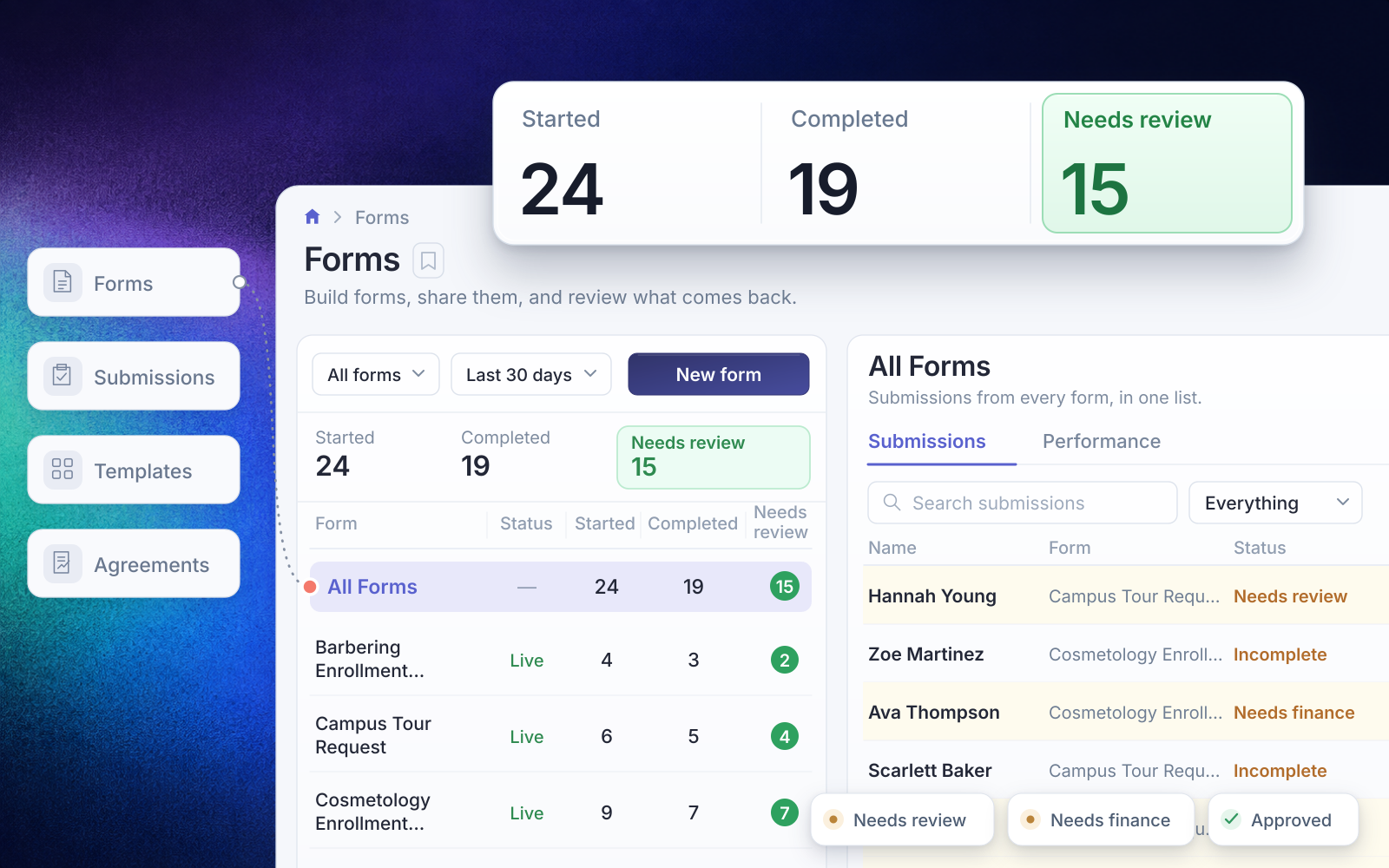
Your existing forms are already here, so the new view covers every form you already run.
Start from a form that already works
Morgan doesn't want to build a tour form from scratch when the daytime version works fine. New form offers three starting points: build it yourself, start from a template or an existing form, or upload a paper form.
Morgan copies the daytime Campus Tour Request, renames it Evening Campus Tour and changes the visit times to two weeknights. It's ready to publish in minutes.
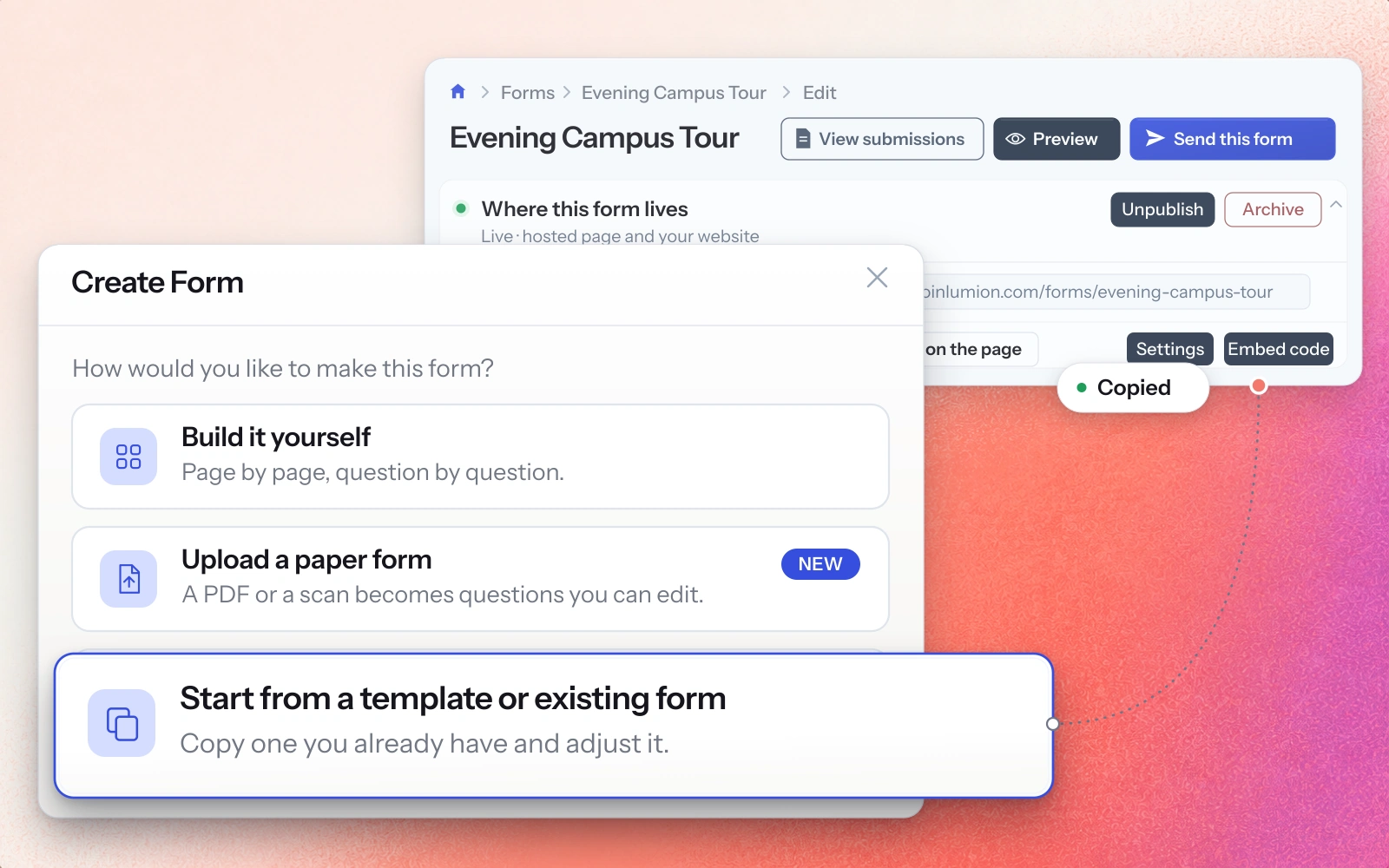
Editing stays out of the way:
- Saves as you go. The editor saves after every change, so there's no save button to forget.
- Plain-language questions. Questions read like sentences, and rules read in plain words, like "Only ask this if..." Rarer options sit under More settings.
- See it first. Preview as they'll see it shows the form exactly the way an applicant will, before anything goes live.
Turn a paper form into a digital one
If some of your forms still live on paper, upload one. It can be a fillable PDF, a plain PDF or a scan, up to 20 pages.
Lumion turns it into questions you can edit, and your team checks each question before it goes live. A blurry scan may need a cleaner copy.
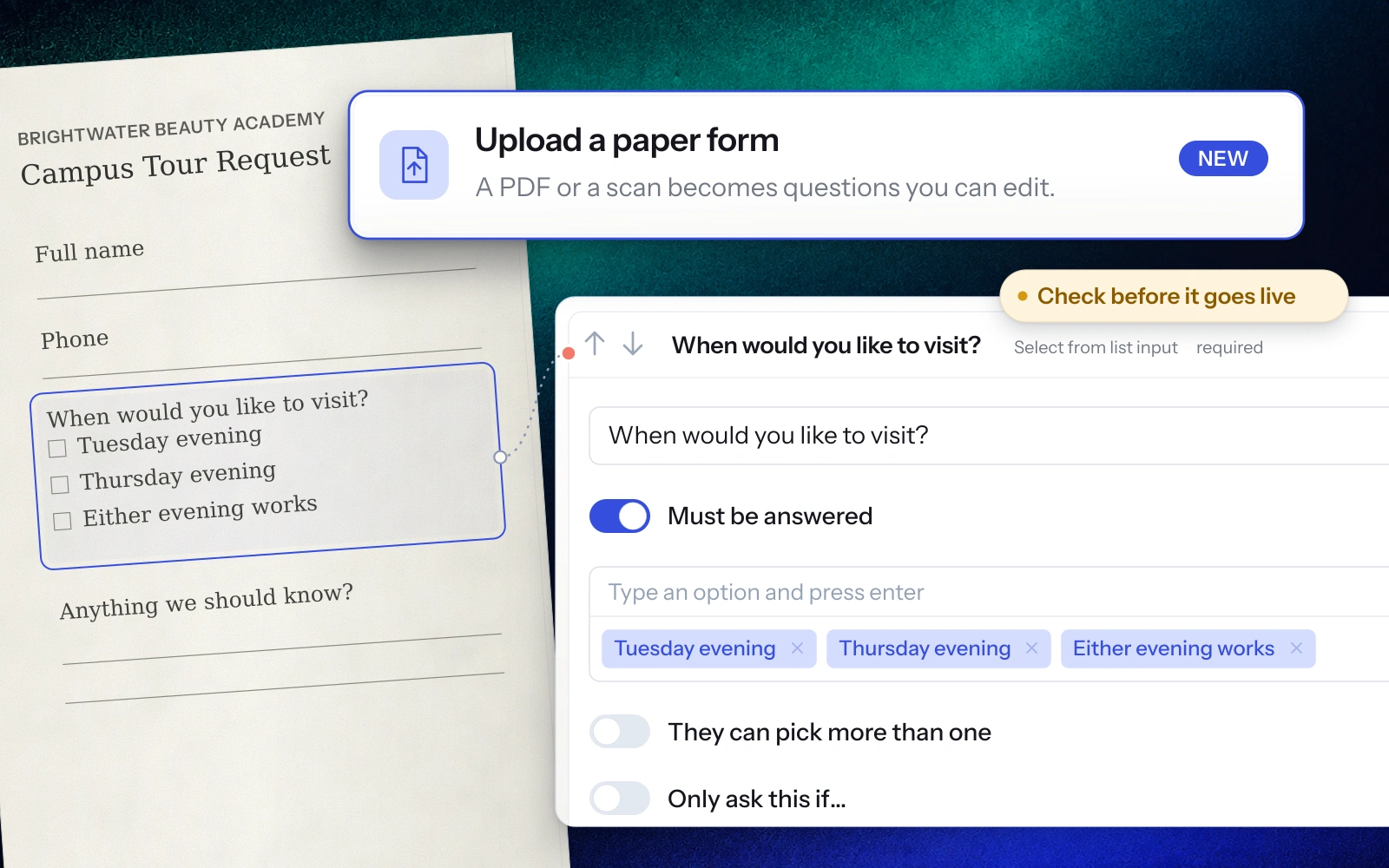
Publishing puts the form on a hosted page at your school's Lumion address. You can also add it to your website as a button that opens the form in a popup, or embed it right on the page. The code is ready to paste, so your website stays exactly where it is.
Send to the student, not just the internet
This is where Forms meets the rest of Lumion.
Morgan has already been talking with Natalie in the Inbox, so there's no reason to post a generic link and hope she finds it. Morgan presses Send this form, picks Natalie by name, and chooses email or text.
- A personal link. The link belongs to Natalie, and merge tags personalize the message.
- Already filled in. Her name, email and phone are filled in before she opens it.
- Saved to her record. Whatever she answers is saved against her record.
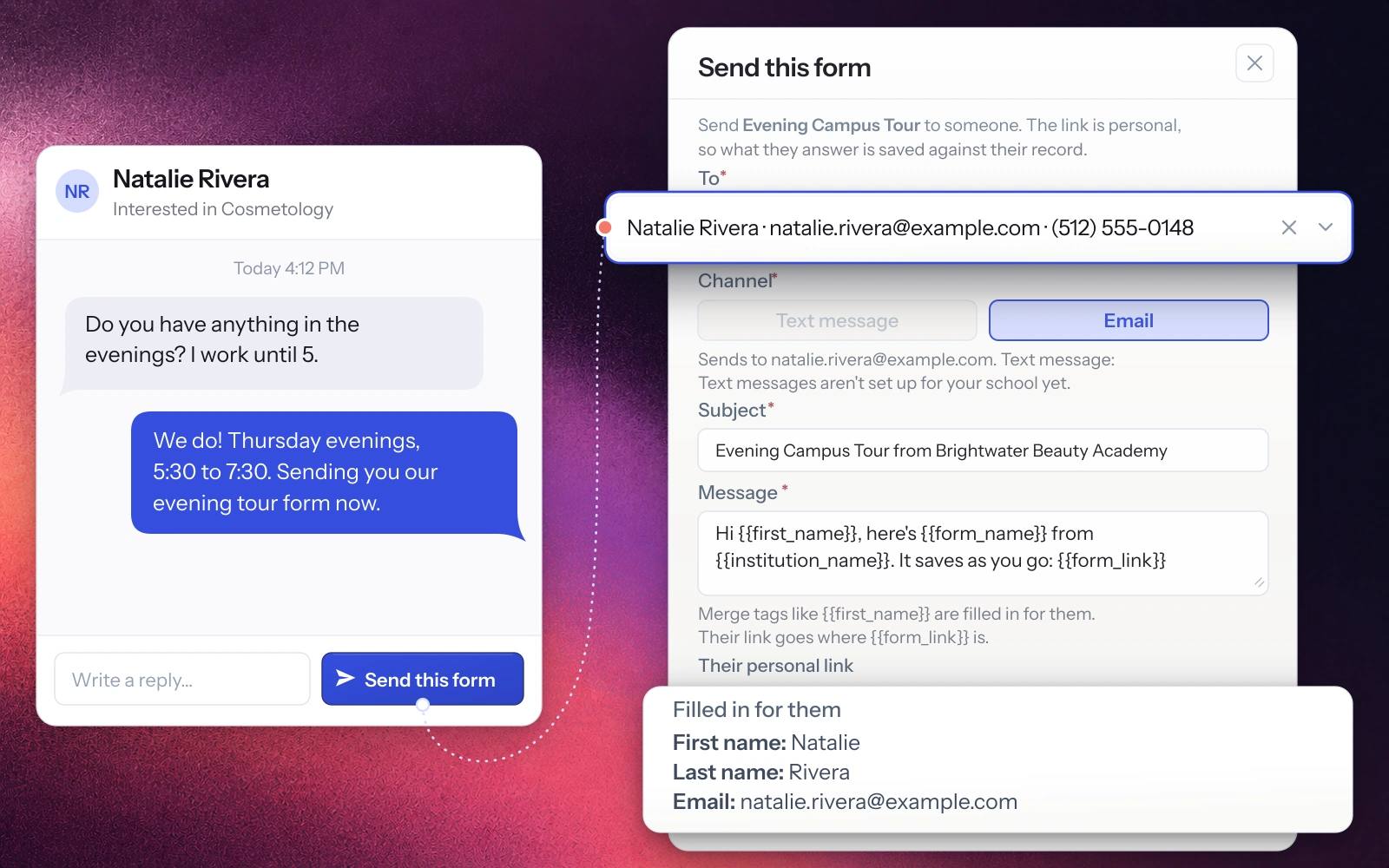
That last part matters more than it sounds. The conversation, the form and the answers all sit with the same student. The next person on your team who opens Natalie's record sees the whole picture without asking around.
Text sending works once your school's texting is set up. Email works from day one.
A form students can finish
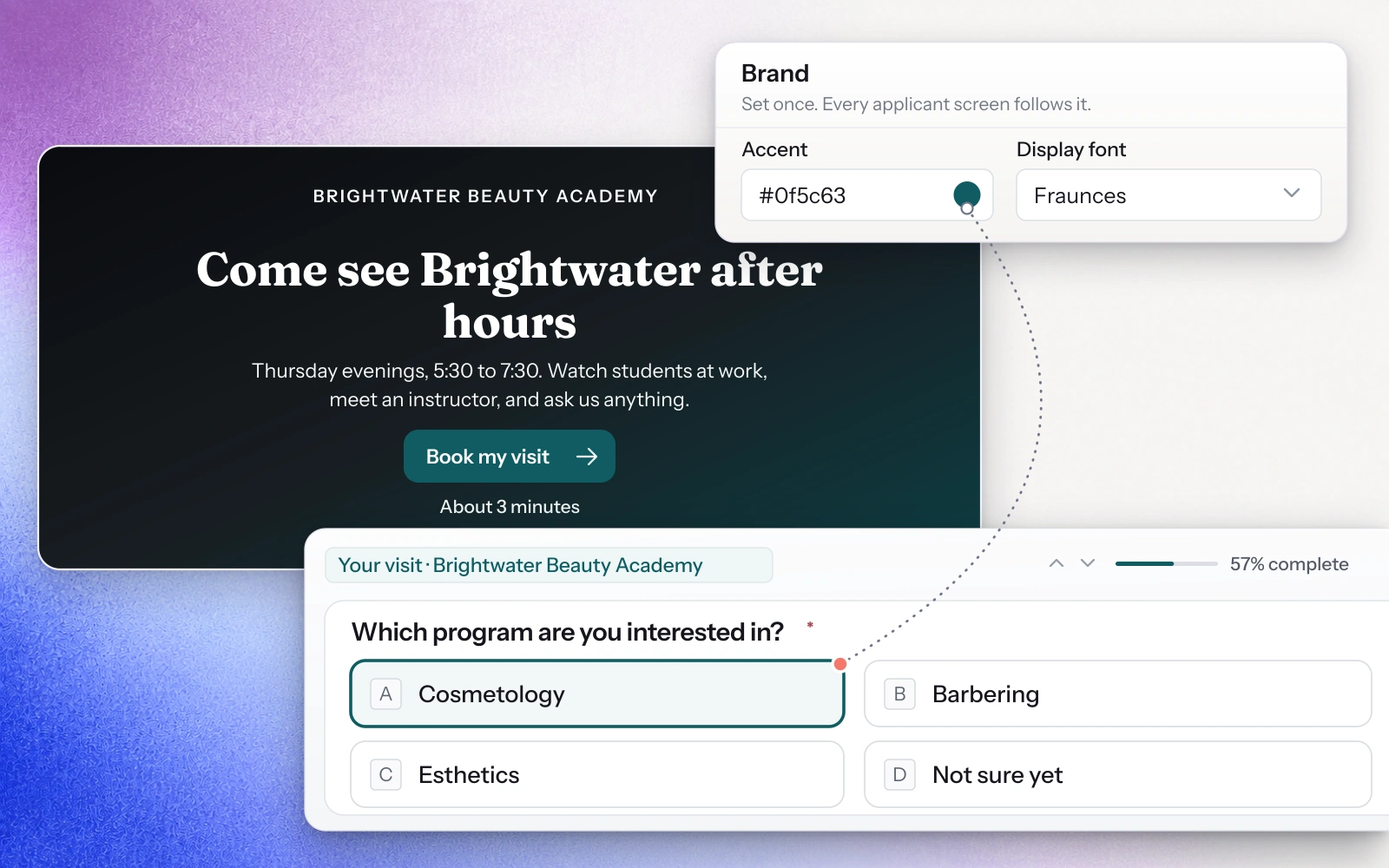
Looks like your school. Set your logo, colors, font and button style once on the new Branding page. A live preview shows how it looks, and a built-in check confirms your button text is easy to read. Every form, agreement and applicant screen follows it from then on. From the first question to the confirmation, the form feels like the next step with your school.
One question at a time, made for the phone. Natalie's link opens on a welcome screen in Brightwater's colors, with a single button, Book my visit, and an estimate of how long it takes. From there:
- She sees one question per screen, with a progress bar.
- Short choices appear as lettered cards, so she presses A for Cosmetology and keeps going.
- Her contact details are already filled in.
- Before she submits, she sees every answer on one screen, with an Edit link beside each and your school's consent language below.
You can also collect contact details early in any form, so if a student stops partway through, your team still has a way to follow up.
Nothing left waiting
Natalie submits, the closing screen thanks her by name, and she gets a reference number. Back on Forms, her submission joins the Needs review count. Morgan clicks it, and Natalie's submission opens first.
- Same reference, same record. The number Natalie got is on her submission, so if she calls with a question, the conversation starts on the right record.
- Mark reviewed. One click records who reviewed it and when, and the count drops.
- Next record. Moves straight to the next submission in the queue.
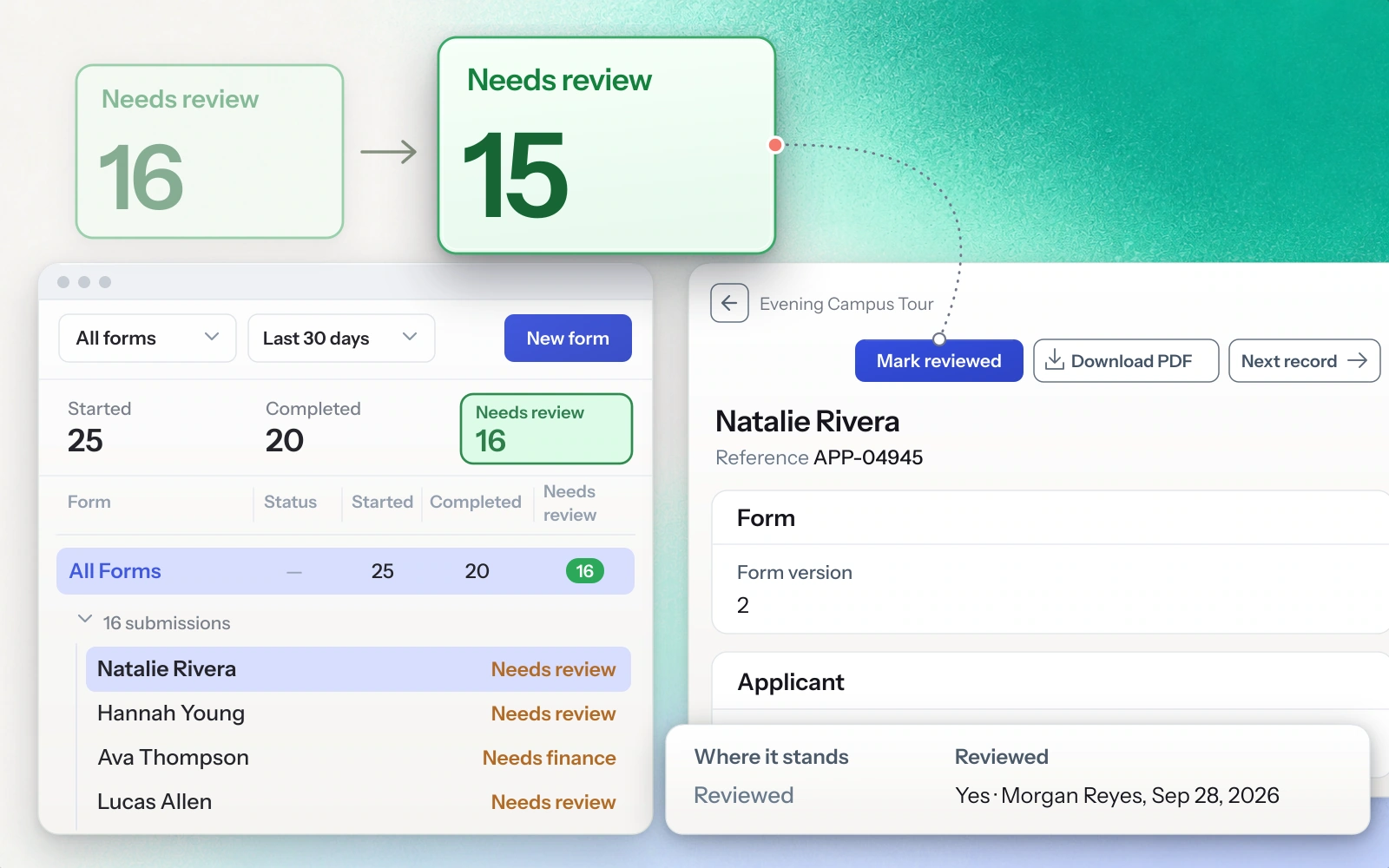
A submitted application that sits unread is a student going cold. The count makes it obvious what still needs a decision, and who has already handled what.
Sign-off in the right order
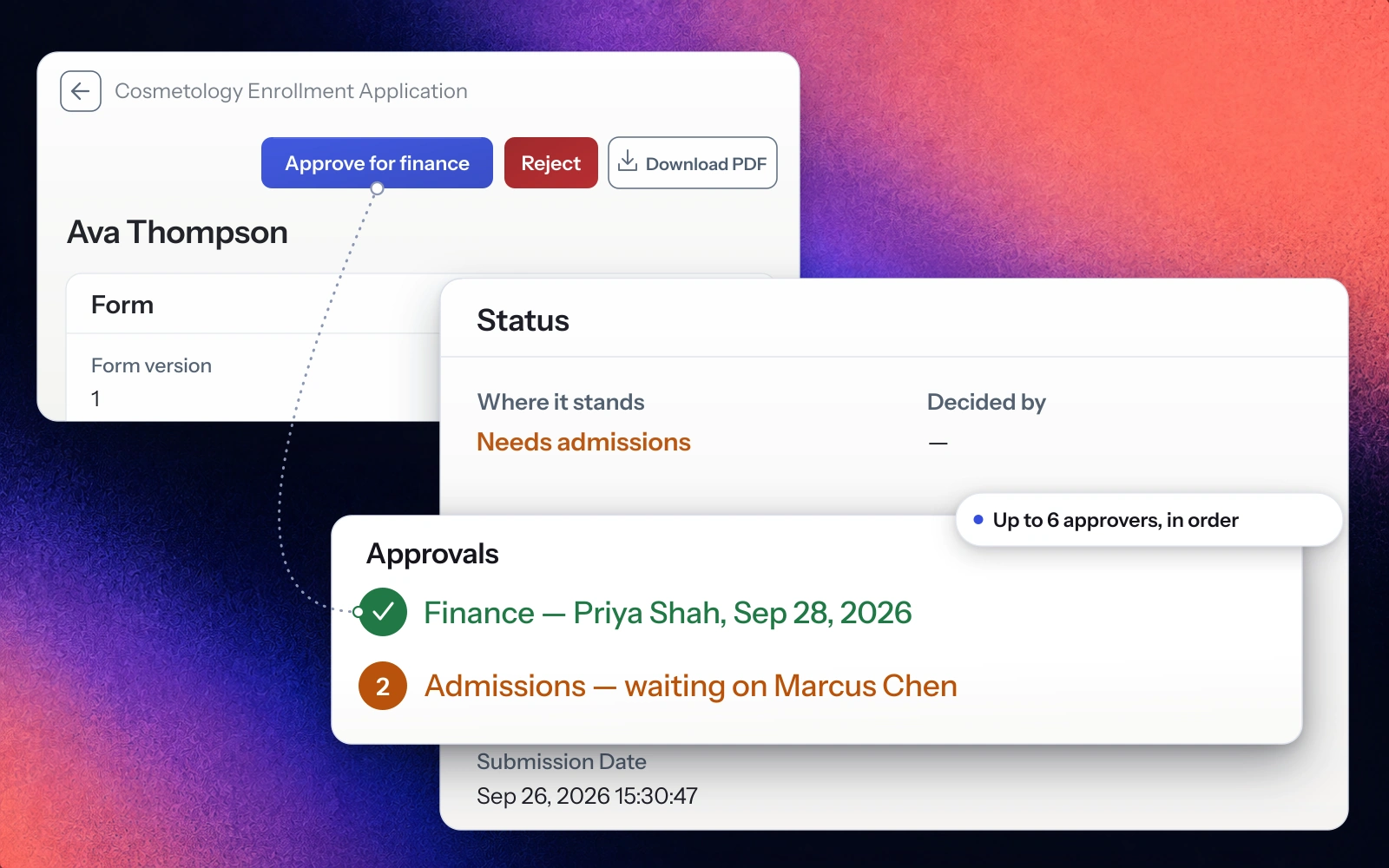
Some forms need more than one person's approval. You can name up to six approvers who decide in turn.
At Brightwater, the cosmetology enrollment application goes to Finance first and Admissions second. When Priya in Finance approves, it moves to Marcus in Admissions, and the record shows who decided and who's next.
Nobody has to chase down whose desk it's sitting on.
Why your forms belong next to your Inbox
Standalone form tools are good at building forms. The trouble is everything around the form:
- Answers land in one system while your team works in another.
- Someone has to maintain the connection between them.
- A submission can sit unnoticed in the tool nobody had open that day.
When your forms live in Lumion, the form is one step on the same path as the rest of your enrollment work: the inquiry, the conversation, the form, the review and the next step.
- No sync required. Answers land on the student's record. Nothing to export, map or copy over.
- Follow-up keeps running. The journeys and automations you already run on form activity keep working.
- One system to learn. One login and one brand setting to manage, and new staff learn one system.
- Your website stays put. Forms publish to your existing site as a button or an embed.
Good to know
- Your existing forms are already in the new workspace. Applicants still see them in today's design, and new forms get the new applicant experience automatically. We can switch your existing forms to the new look with you.
- Links stay the same. A published form's link keeps working even if you rename the form. Anyone partway through a form when you change it finishes the version they started, and each submission records which version it came from.
- Texting needs texting set up. Send this form offers text messages once your school's texting is on. Until then, email works.
- Mia can help build forms. Schools with Mia turned on can build and edit forms with Mia. That option is available to school admins and enrollment admins.
- Performance at a glance. The Performance tab shows how many people started, completed and are waiting on review for each form over the date range you pick.
Available now
Forms is live now for every school on Lumion Engage. Copy a form that already works, or upload a PDF, and your next form can be live in minutes.
Want your current forms switched to the new experience? Book 15 minutes and we'll do it with you.
Not using Engage yet? Book a demo →
Read next
Introducing Lumion Inbox: every conversation, every channel, on one student record
The centralized communication system at the heart of the Lumion platform. Every text, email, call, web chat, and social DM lives on one student record — with AI drafts, automations, and campaigns grounded in your school's own knowledge base.
Meet Lumion Voice: the school's phone system, built into the work
A new phone system lives inside the dashboard your team already uses. Every call ties to the student record, every voicemail comes with a transcript, and every line is owned by the school.
Meet Mia: an AI assistant that actually knows your school
A new kind of assistant lives inside the dashboard your team already uses. It answers questions from your live data and helps your front office get work out the door, in plain language, 24/7.